
📖 User Manual
Everything MitikLive can do for you, step by step. One single tool for Wallapop, Milanuncios, Milanuncios Pro and Azeler.
🚀 Quick start in 4 steps
- Install the extension from your browser store (Chrome, Firefox or Edge).
- Sign in with your Google account. Registration is free.
- Open Wallapop, Milanuncios or Azeler with your session.
- Sync your listings and click Re-list to reach the top positions.
First time? Below you'll find the full manual, feature by feature.
1 What MitikLive is
MitikLive is a browser extension (and Android app) that automates managing your listings on the main second-hand and professional marketplaces. From a single panel you can back up, re-list to reach the top positions, bulk edit, schedule and post the same listing on several platforms at once.

Re-listing, backup with photos and multi-account.

Renew, re-list and real-time statistics.

Professional account: bulk publishing and editing.

Car parts: catalog, parts re-listing and pricing.
Credits are shared: the same balance works across all platforms and all your accounts.
2 Installation
Install from your browser store
Click your browser's button to go to the official store.



Add the extension
Click "Add / Install" and confirm. Brave and Opera install it from the Chrome Web Store.
Sign in
Click the MitikLive icon and sign in with your Google account. Registration is free.
Open the marketplace
Log in to Wallapop, Milanuncios or Azeler and MitikLive connects automatically.
3 The panel
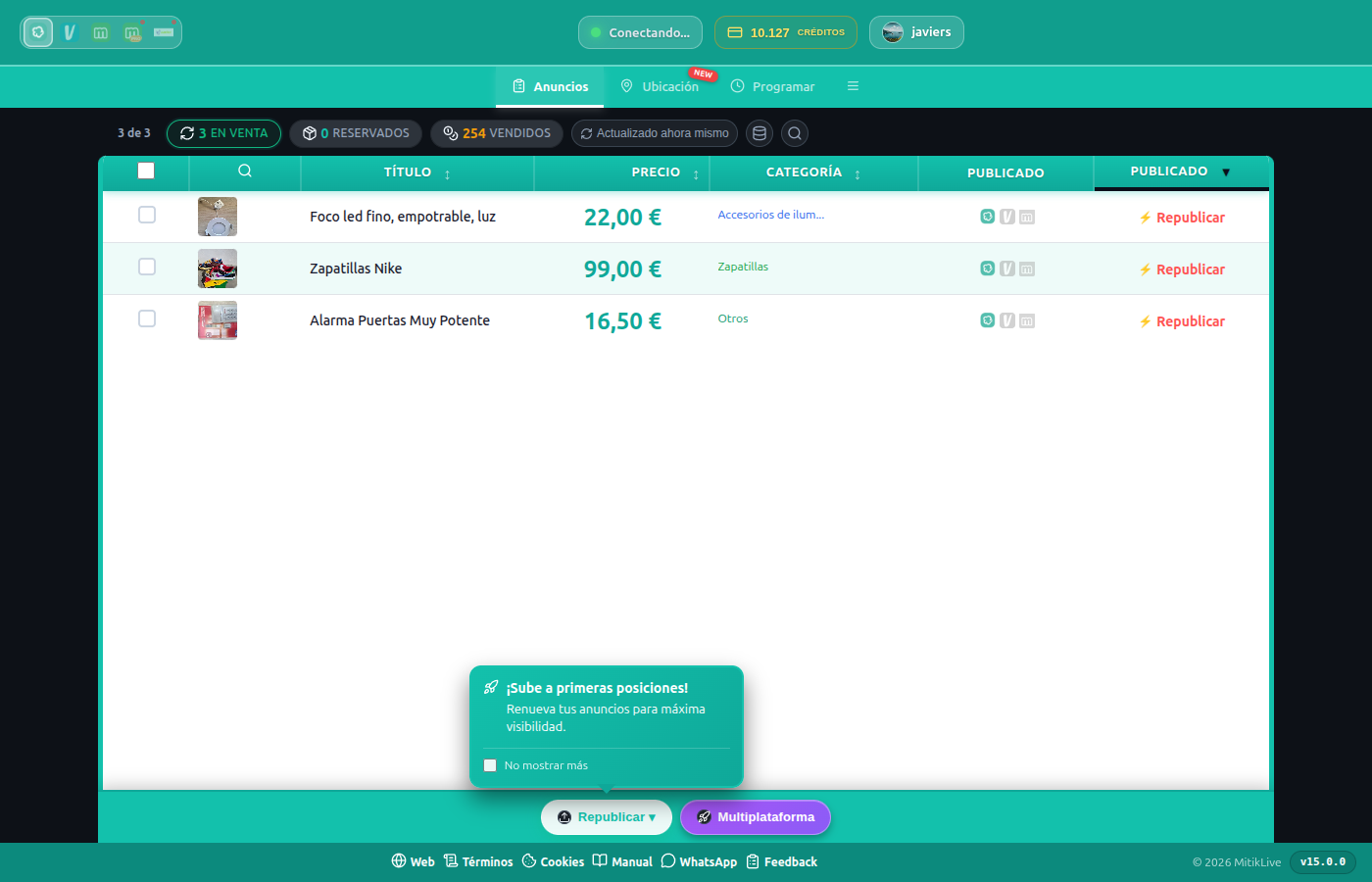
The panel opens from the extension icon or the floating button. It detects which platform you're on and shows its options.
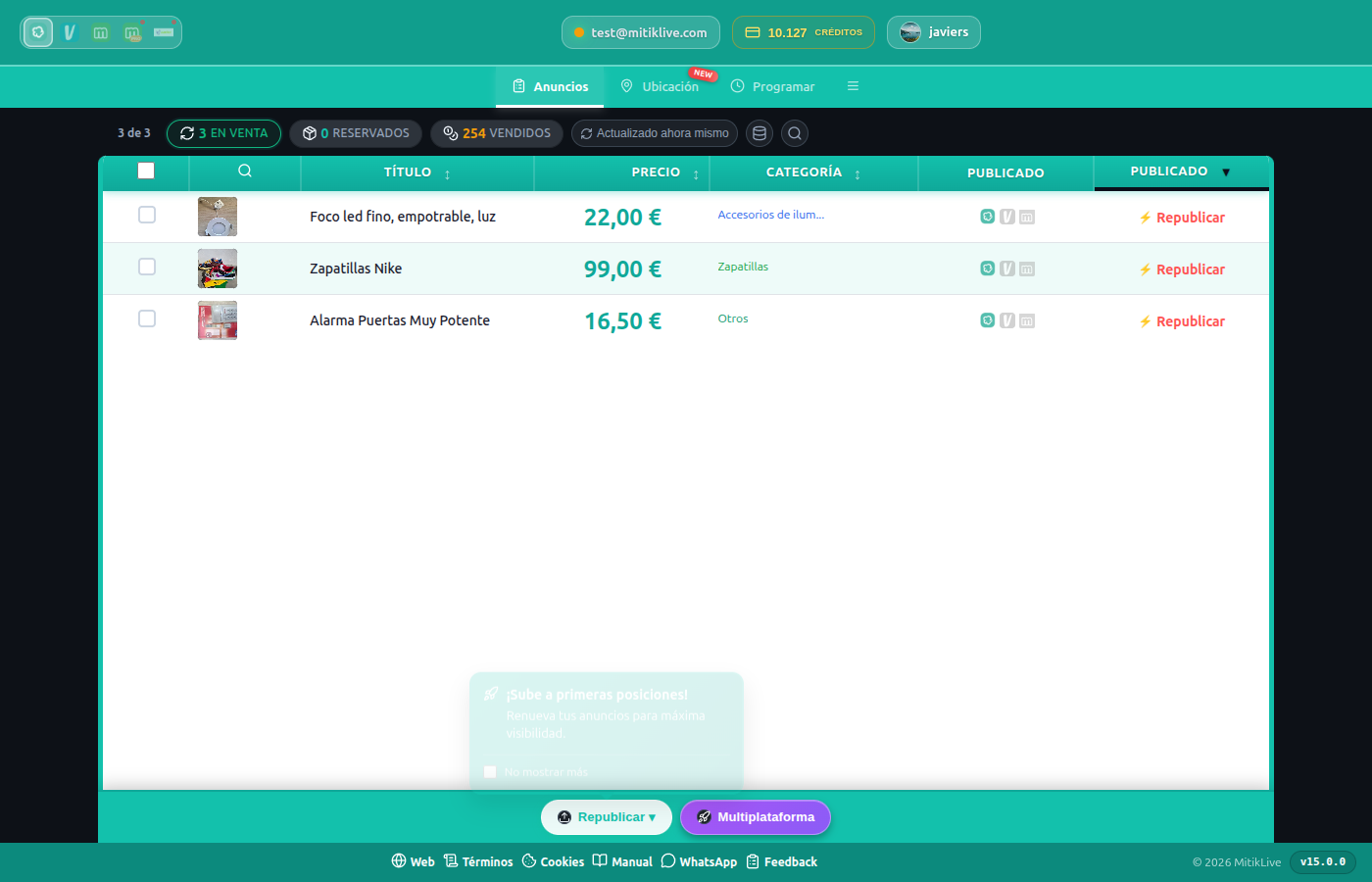
Main panel: header with account and credits, navigation tabs and listings table
Current platform, your email, available credits and connected account.
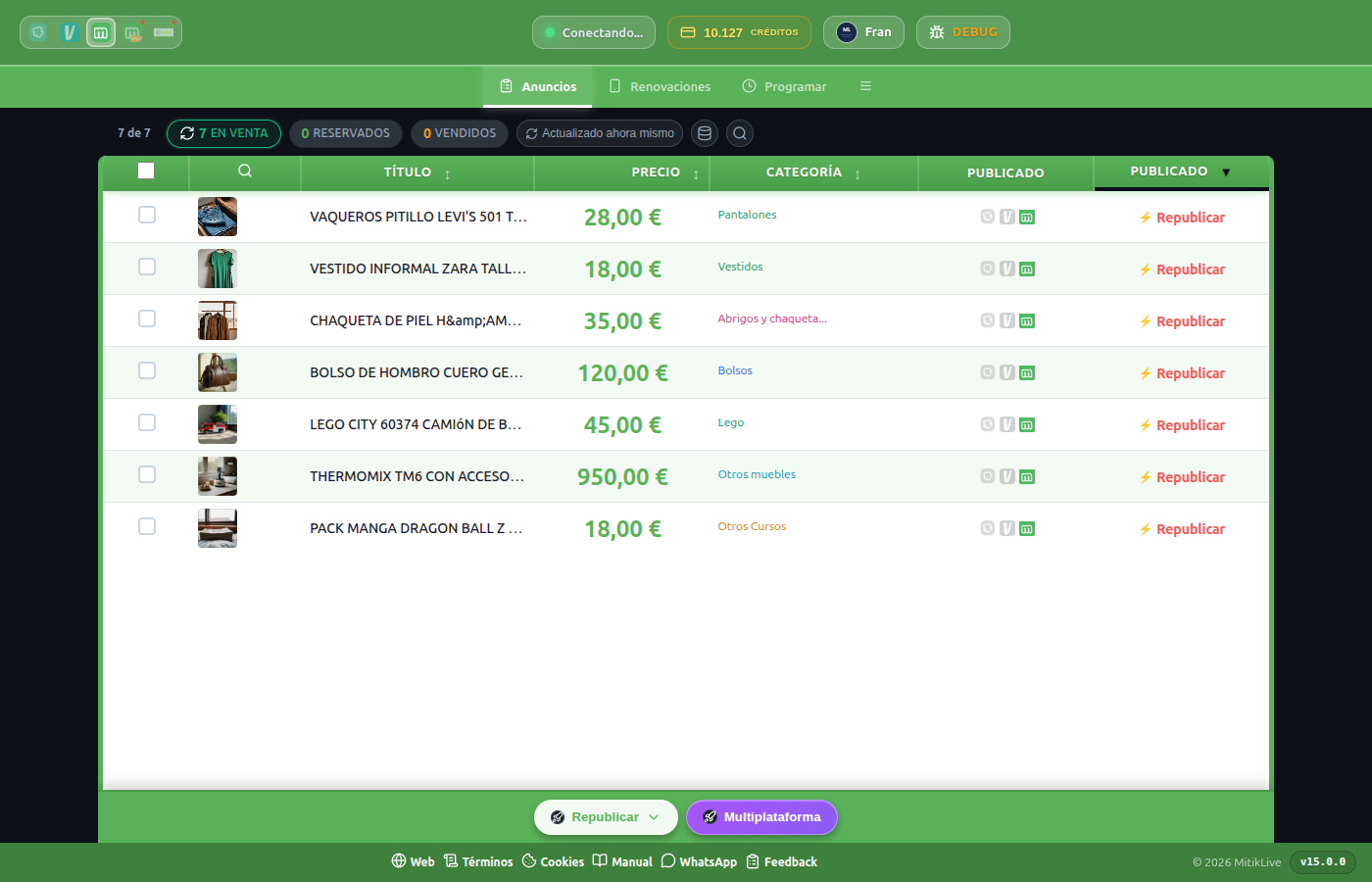
All your listings with photo, title, price, category and status (Active, Reserved, Sold).
Listings, In progress, Schedule, Statistics, Logs, Location and Settings.
Filter by title and status to find what you need instantly.
The Boost tab takes you to MitikBoost, our panel to boost your social media visibility. It's a separate, optional product.
4 Several accounts at once
You can connect and manage several accounts from the same or different platforms in a single panel, without logging out or opening multiple browsers.
Click your account in the header
The selector opens with all your connected accounts.
Switch or add an account
Pick another account or connect a new one by opening it in the browser.
Manage them with the same balance
Credits are shared across all your accounts and platforms.
5 Sync and back up
Syncing saves a full copy of all your listings (photos at original resolution, titles, descriptions, prices, categories) so you can re-list or restore them whenever you want.
Select the account
Make sure you're on the right account from the header.
Click Sync
MitikLive goes through all your listings and saves them automatically.
Done!
Your catalog is saved and ready to re-list or restore.
A backup of around 50 listings takes 2-3 minutes. Run it again whenever you add a big batch of new listings.
6 Re-listing and renewing (reach the top positions)
Re-listing puts your listings back in the top positions, where most buyers see them. You can do it one by one or in bulk. Where the platform allows it (e.g. Milanuncios) you can also renew without recreating the listing.
Select the listings
Tick the boxes of the listings you want to re-list.
Click Publish
They enter the queue automatically, with a safety delay between each one.
Follow the progress
The In progress tab shows each listing: pending, running, successful or failed (retryable).
Re-listing creates a new listing: favourites and views from the old one are lost. Each re-listing uses 1 credit.
Bumps the listing without recreating it, so it keeps favourites and views. Available where the platform allows it (Milanuncios; Facebook every 7 days). It has its own “Renewals” tab.
Creates a brand-new listing: back to the top positions, but you lose the favourites and views of the old one. Works on every platform.
7 Bulk price editing
Change the price of many listings at once instead of one by one. Ideal for campaigns, sales or adjusting your catalog to the market.
Select the listings
Tick the ones you want to adjust.
Enter the new price
Apply the change to the whole selection in one go.
Bulk editing only affects the price. Title, description, photos and category are edited from each listing (see section 10).
8 Cross-posting: one listing, several platforms
Post the same listing on several platforms at once. MitikLive copies title, description, photos and price, and maps the category automatically. More platforms = more buyers = sell faster.
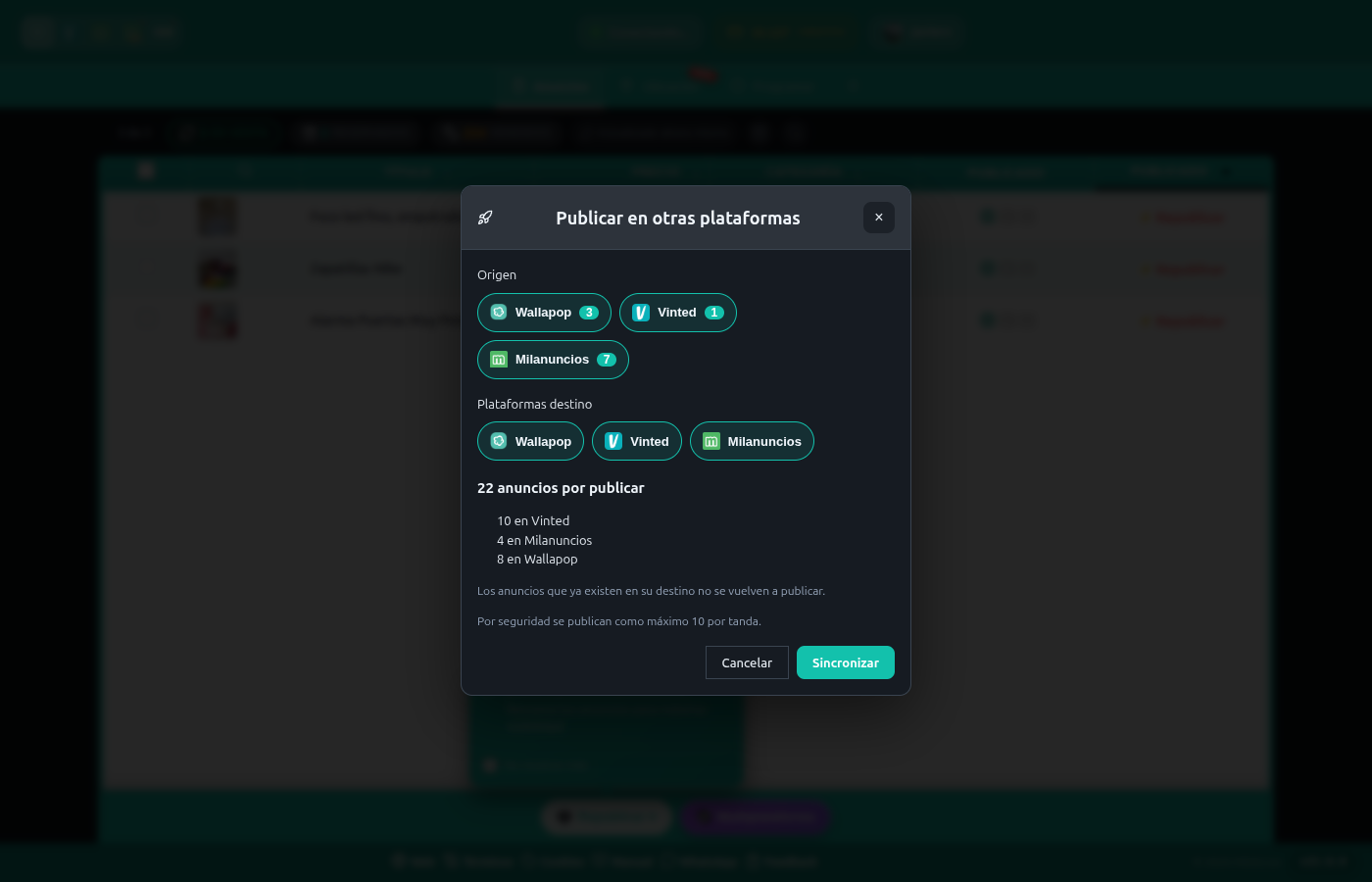
You choose source and destination platforms; MitikLive only posts what's missing on each
Opens the cross-posting panel from the header.
Choose which platform to copy from and which ones to post to.
If the destination needs extra data (size, condition…), a wizard asks only when needed.
Listings already on the destination aren't posted again. Max 10 per batch for safety.
9 Schedule re-listings
Automate when your listings are re-listed to keep them at the top without watching them. MitikLive does it in the background and notifies you.
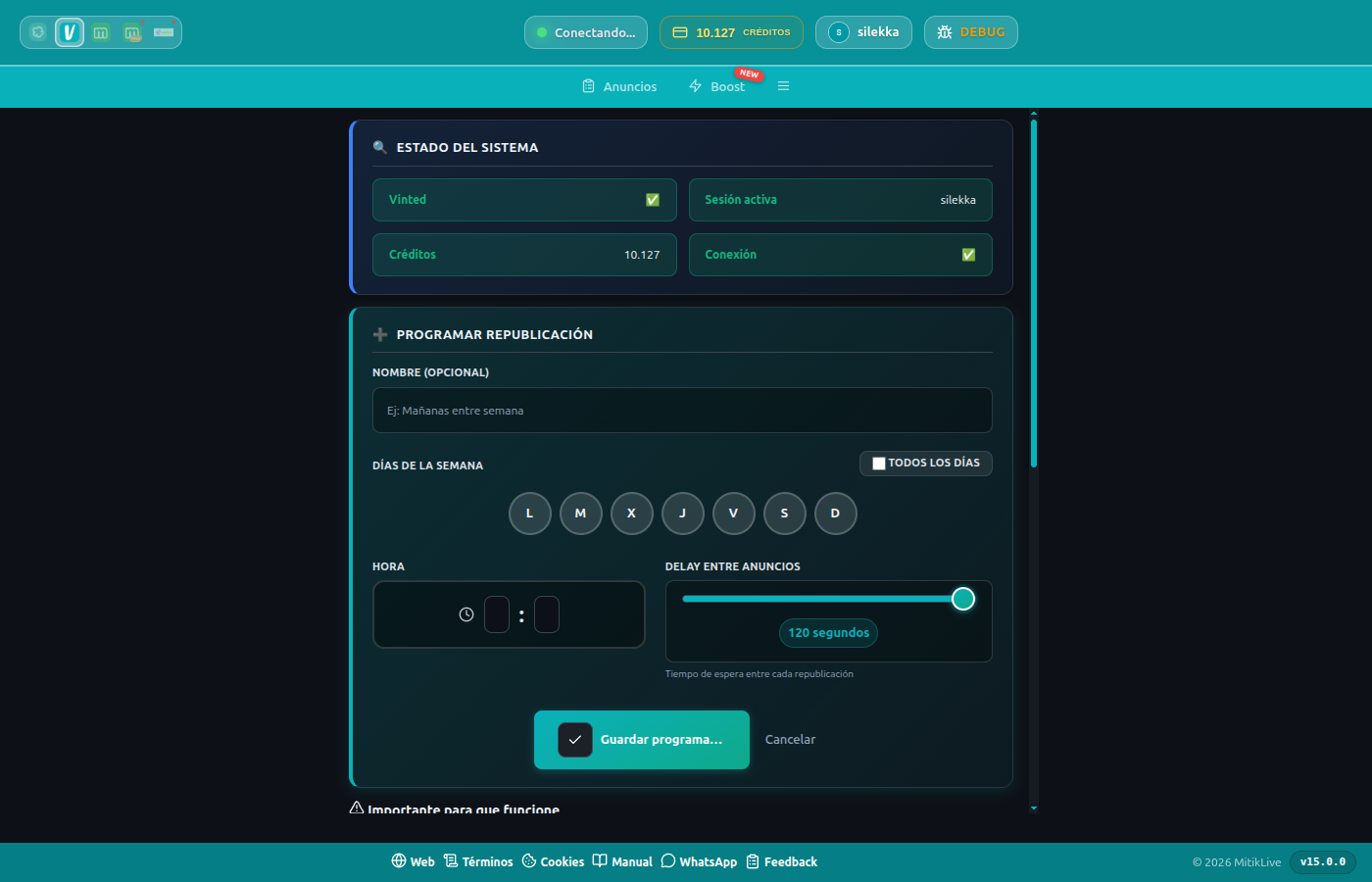
"Schedule" tab: set up automatic re-listing
You'll get a notification when each scheduled batch completes. Respect each platform's minimum times (e.g. Facebook allows renewing every 7 days).
10 Edit listings
Before publishing you can change any listing: photos, title, price, description, category, attributes and more.
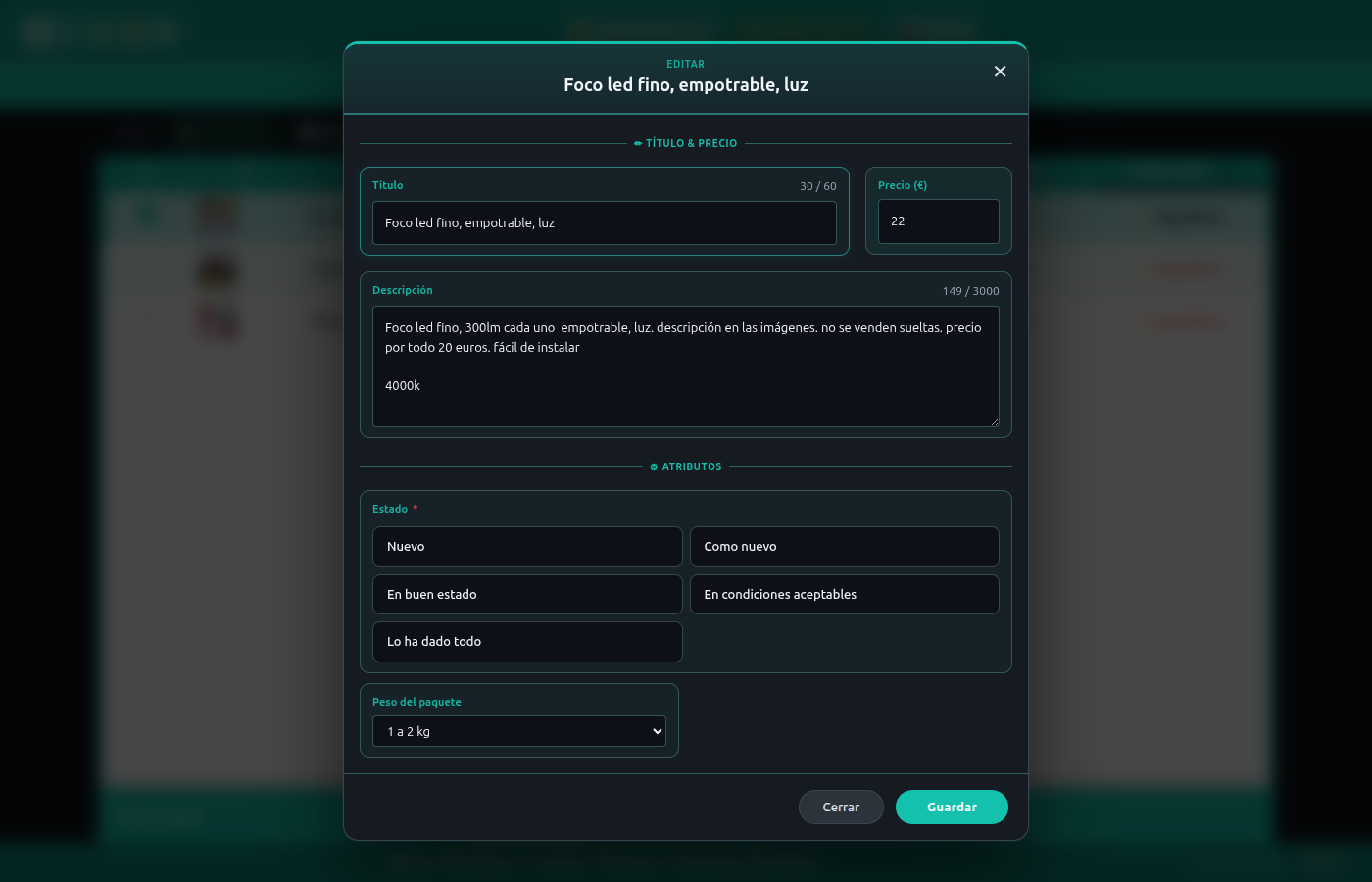
Listing editor: title, price, description and attributes
Reorder by dragging, add or remove images.
Visual colour picker with swatches for attributes that require it.
Private internal notes to locate the product (e.g. "Shelf 8, blue box").
Each marketplace has its own title/description limits; the editor warns you.
11 Change the location
From the Location tab you can adjust where your listings appear on a map, useful to reach buyers in another area.
12 Import and export
Move your catalog around or keep a local copy.
Upload listings from a CSV or ZIP file and publish them automatically.
Download your listings as ZIP (with photos) or CSV as a local backup.
13 Statistics and log
The Statistics tab summarises your re-listings, credits used and success rate. The Logs tab keeps a detailed history of every action so you always know what happened.
14 How credits work
Each re-listing uses 1 credit. Syncing and backup are free. Credits are shared across all your accounts and platforms.
You can top up credits from your web panel. Check the packs and prices on the pricing page.
15 Settings
Customise how the extension behaves from the Settings tab.
MitikLive settings options
Wait time between publications for extra safety.
Zoom control and option to open the panel in a separate window.
Audible alert when a publication finishes.
Clear stuck processes if a publication was interrupted.
16 Built-in help
Inside the panel, the help (?) button opens a quick guide with tips, a credits explanation, FAQ and shortcuts. The first time, a short tour shows you the basics.
Help centre: quick guide, tips, FAQ and shortcuts
17 On mobile and Android app
The panel adapts to small screens, and there's also an Android app to renew your listings from your phone, with no computer and in the background.
The Android app
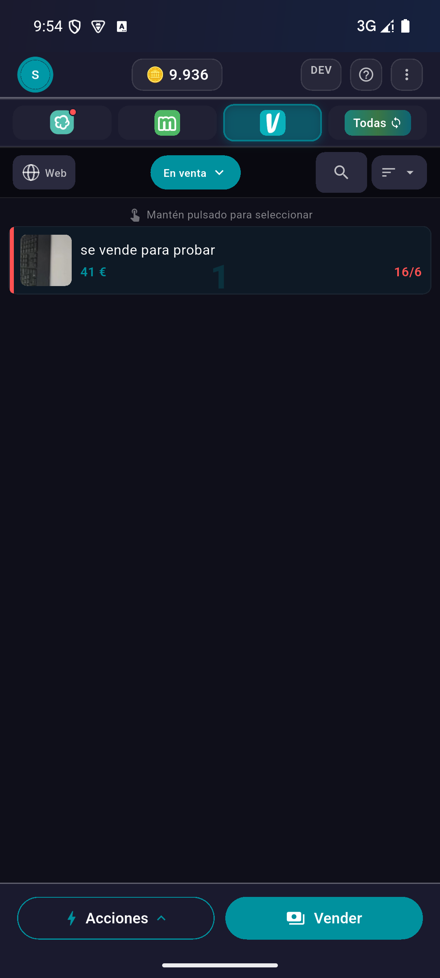
Dashboard: your listings on mobile
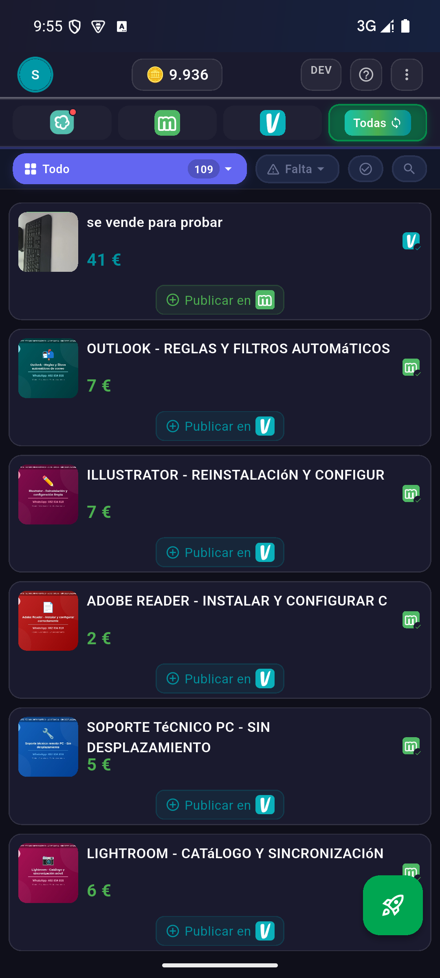
Unified view of all platforms
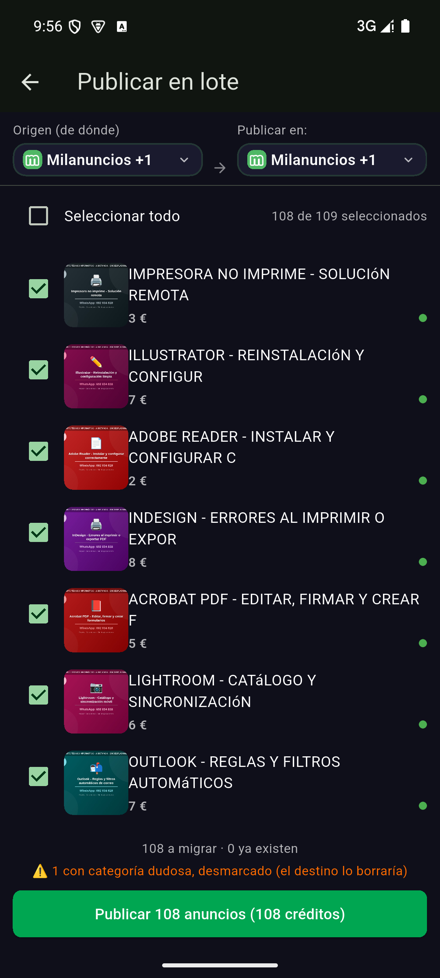
Bulk publish to several platforms
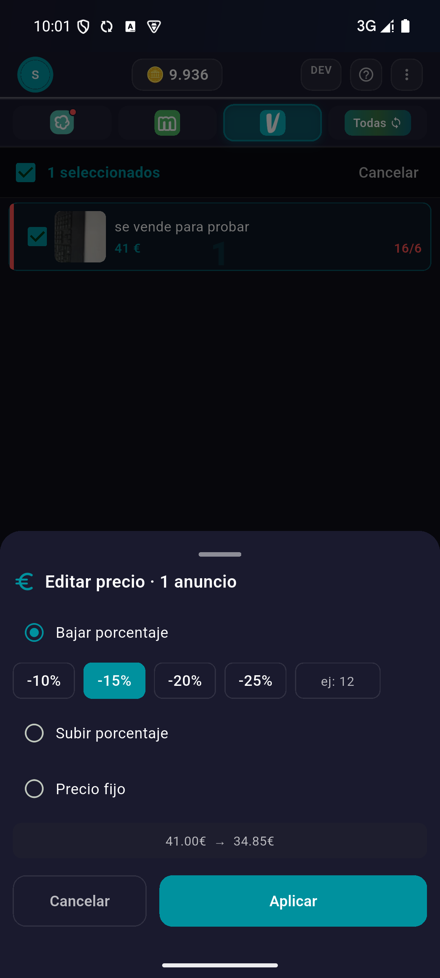
Bulk price editing
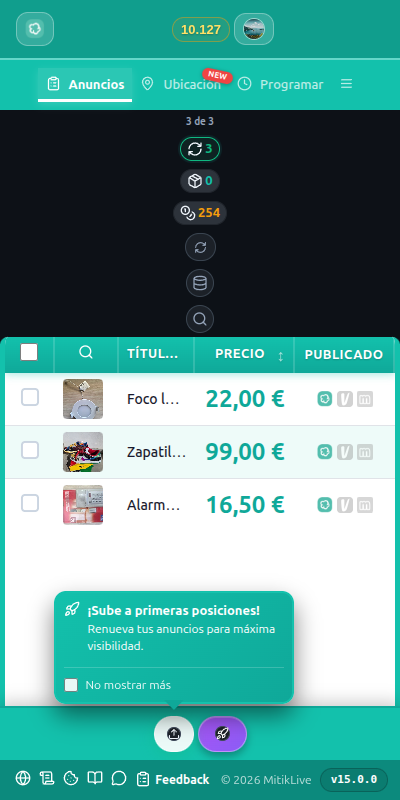
The panel adapts to narrow screens
Video: renewing from the Android app
🚀 Ready to start?
Sign up for free and start using every feature.
No credit card · Support included