
What is the MitikLive App?
The MitikLive Android app is a mobile application that lets you automatically renew all your Milanuncios listings from your phone. It is the mobile version of our popular browser extension, but designed specifically to run on Android.
No PC needed
No computer needs to be on
Background mode
Works with the screen off
Notifications
Alerts you when it finishes
Secure
Optional biometric lock
Requirements
Before getting started, make sure you have:
- A phone running Android 7.0 or later
- A MitikLive account (you can register for free)
- Available credits in your account
- Active listings on Milanuncios
Download from Google Play
The first step is to download the app from the Google Play Store. Installation is automatic and updates are handled directly through the store.
Automatic installation from the Google Play Store
You can also search for "MitikLive" directly in the Google Play Store on your phone.
Sign in to MitikLive
When you open the app for the first time, you will see the sign-in screen:
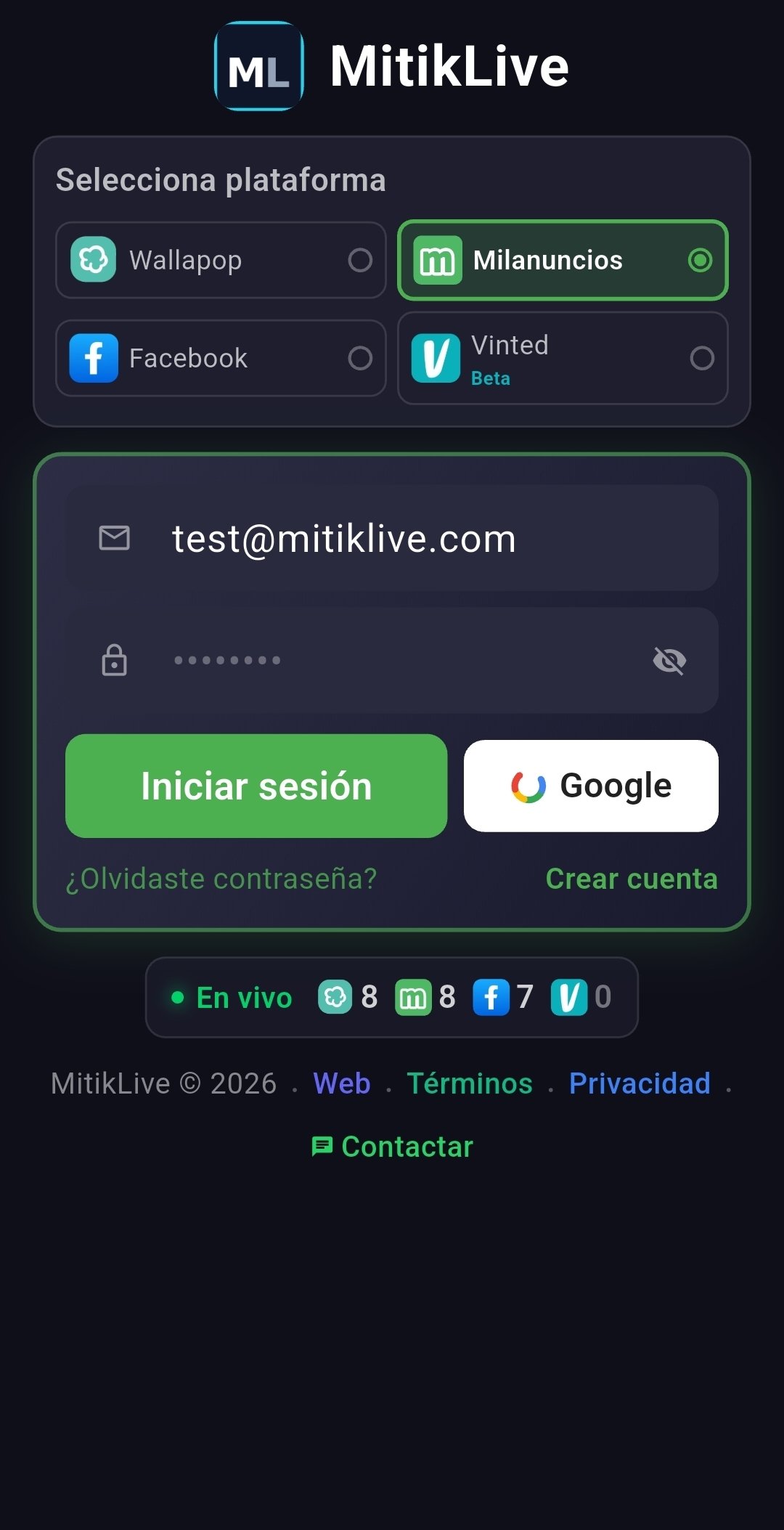
Sign-in screen with platform selector
- Select Milanuncios in the platform selector
- Enter your MitikLive email
- Enter your password
- Tap "Sign in" (or use Google Sign-In)
Tip
Use the same credentials you use on the MitikLive website. If you don't have an account yet, you can register for free.
Link your Milanuncios account
Once you are inside, the app will show you a built-in browser with Milanuncios. You need to sign in to your Milanuncios account so the app can access your listings.
- The app will automatically open the Milanuncios website
- Sign in with your Milanuncios account
- Go to the "My listings" section
- The app will automatically detect your session
Your security
MitikLive never stores your Milanuncios password. It only saves a temporary session cookie on your device, just like your browser does.
Configure the app
Before your first renewal, configure the basic options:
- Enable the background service so the app works with the screen off
- Set the renewal frequency to suit your needs
- Enable push notifications to receive alerts for each renewal
- Optionally, add the home screen widget for quick control
Your first automatic renewal
You are now ready to renew your listings! The process is very straightforward:
- You will see a summary with the number of listings detected
- Tap the "START" button (large green button)
- Confirm in the dialog that appears
- Done! The app will automatically renew all your listings
During the renewal you will see:
- Progress: How many listings have been renewed
- Current listing: Which listing is being renewed right now
- Status: Whether it was a success, cooldown, or error
- Time remaining: Estimated time left
What else can you do?
Now that you have the app installed, we recommend exploring these guides: